
An aggressive timeline
This wasn't just a tight deadline, it was a perfect storm of challenges that required me to operate well beyond typical design responsibilities.
Project Complexity
- Third-party integration: Feature relied on an external backend provider with its own constraints
- Coordination needs: I stepped up to lead meetings, plan timelines, and gather requirements
- Design system gaps: Required new components that didn't exist yet
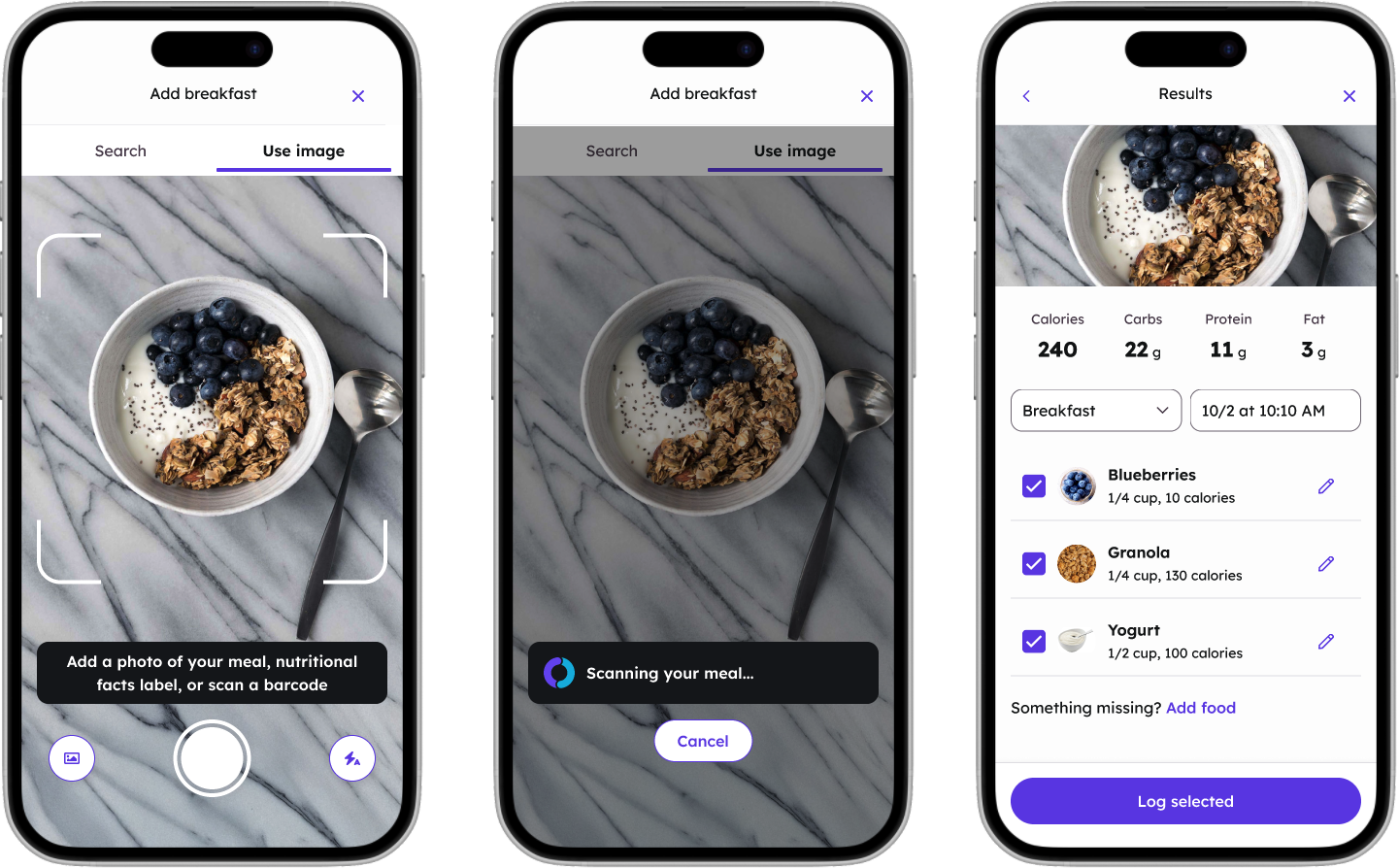
- AI features: Meal photo recognition, barcode scanning, and nutritional label scanning
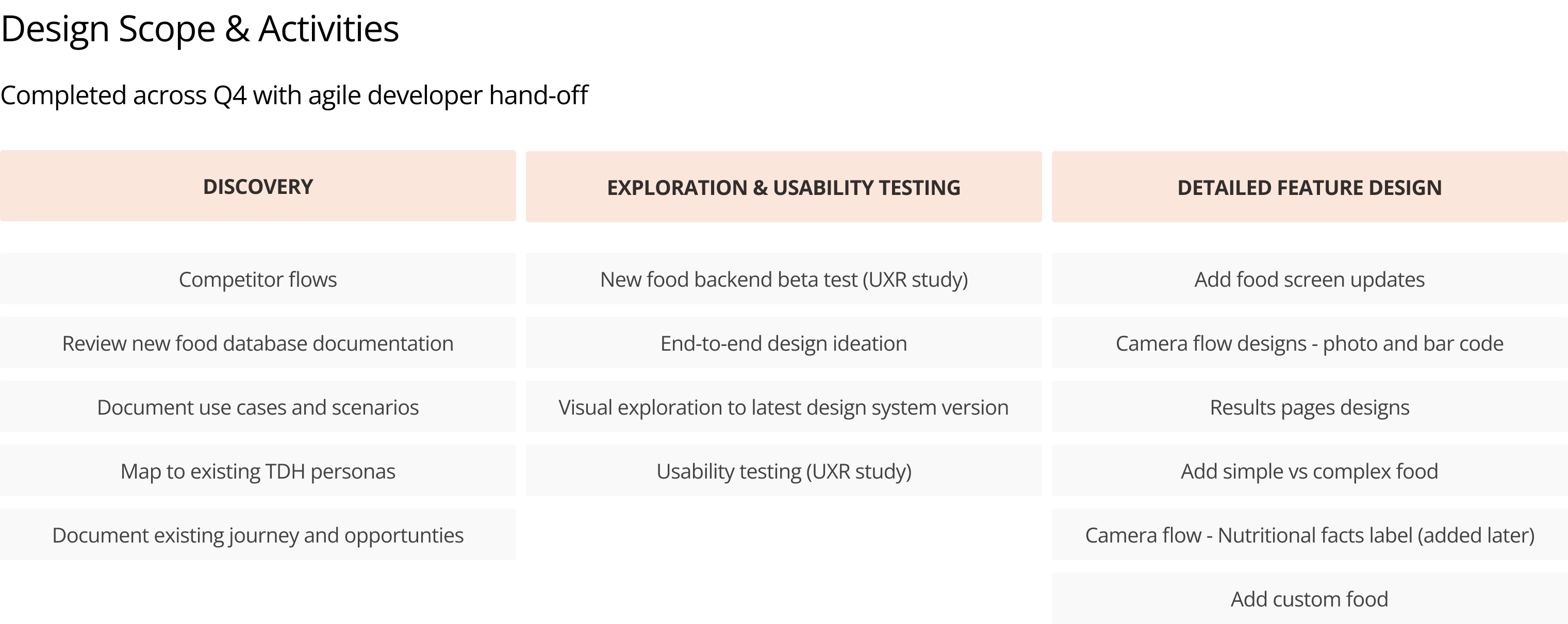
The ambitious scope we committed to delivering in Q4
Understanding the landscape
At the beginning of the project, I conducted foundational research to understand what we were working with and what competitors were doing.

Reviewing competitor food logging apps across the market

Mapping current food log experience to identify opportunities
Discovery Activities
- Competitive analysis: Reviewed food logging experiences across major health apps
- Third-party documentation: Tested and documented third party AI-providers's beta app features and capabilities
- Flow mapping: Mapped our existing food log flows to identify integration points
Shaping research strategy under constraints
Despite the aggressive timeline, I knew we needed user insights to make smart design decisions. I partnered with our UX researcher to launch two studies that would inform our design direction.
Diary study with third party AI-provider beta
10 Teladoc colleagues tested the third-party provider's beta app over 4 days using the dScout platform. Participants logged meals using different methods—photo capture, barcode scanning, voice logging, text search, and nutritional label scanning—documenting their experiences and frustrations in real time.
Diary Study Findings
- Most favorite method: Taking a photo—easy, fast, and "90% accurate"
- Least favorite method: Scanning nutritional info—confusing and error-prone
- User corrections occurred mostly in: Portion size ("does not seem to understand amounts"), deleting duplicates from batch photos, revising brands, and manually adjusting meal type
- What users wanted: Asking portion size and meal type before logging rather than after, using "favorites" as a shortcut, and a daily summary of calories and macros
Usability study with Figma prototypes
We tested two prototype versions with 8 participants, focusing on photo logging, food editing, and barcode scanning flows. This validated key interactions before engineering began.
Usability Study Findings
- Users were wowed by AI speed—most found photo analysis "shockingly fast" and "self-explanatory"
- Editing over retaking: Most participants preferred editing AI results rather than retaking photos—"I'm lazy" and "too many ingredients"
- "Track" vs. "Add" confusion: Users expected "Track" to function as "Save" and wanted clearer confirmation when logging was complete
- Camera icon visibility: Several users didn't notice the camera icon at first—needed more prominent placement
- Nutrition tracking preferences varied: Some wanted only calories, others wanted protein, fiber, sodium, or iron—suggesting value in customizable tracking
Keeping the project moving forward
With limited PM capacity for day-to-day coordination, I stepped into a hybrid design-lead role. I became the person keeping the project moving forward—a role that went well beyond typical design responsibilities.
Leadership Activities
- Co-led scoping sessions with the Design Director and PM, going story-by-story to identify what was achievable
- Advocated for cutting scope where appropriate, presenting thoughtful pros/cons analyses for each trade-off
- Ran weekly core team syncs with Product, Design, UXR, and Content to maintain alignment
Building deep trust through technical fluency
Drawing on my background as a developer, I engaged in daily technical conversations with the engineering team. I attended every standup, problem-solved alongside engineers, and became the go-to person when developers had questions.
This responsiveness and technical fluency built deep trust. Engineers knew I understood their constraints, and would advocate for realistic solutions. The result was improved team morale, and my thoughtful presence helped everyone feel calmer despite the pressure.
Design system collaboration
Food Logger is a unique feature in the app with different component needs than elsewhere, so working closely with the design system team was especially important. I worked hand-in-hand with them to evaluate which components were custom to Food Logger, which could be leveraged from the existing library, and which could become future shared components. This upfront investment prevented rework later.
AI-powered food logging experience
The final designs balanced powerful AI features with intuitive fallback options, ensuring users could log meals quickly regardless of which method they chose.
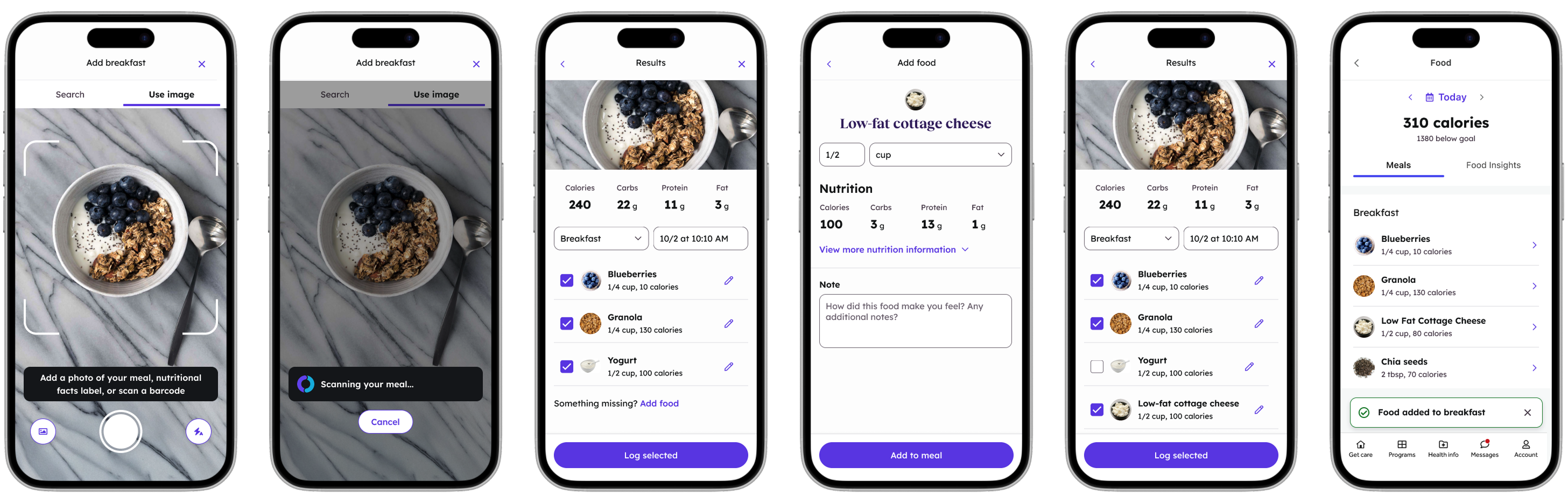
Complete Food Logger experience from capture to confirmation

Barcode scanning for quick product lookup
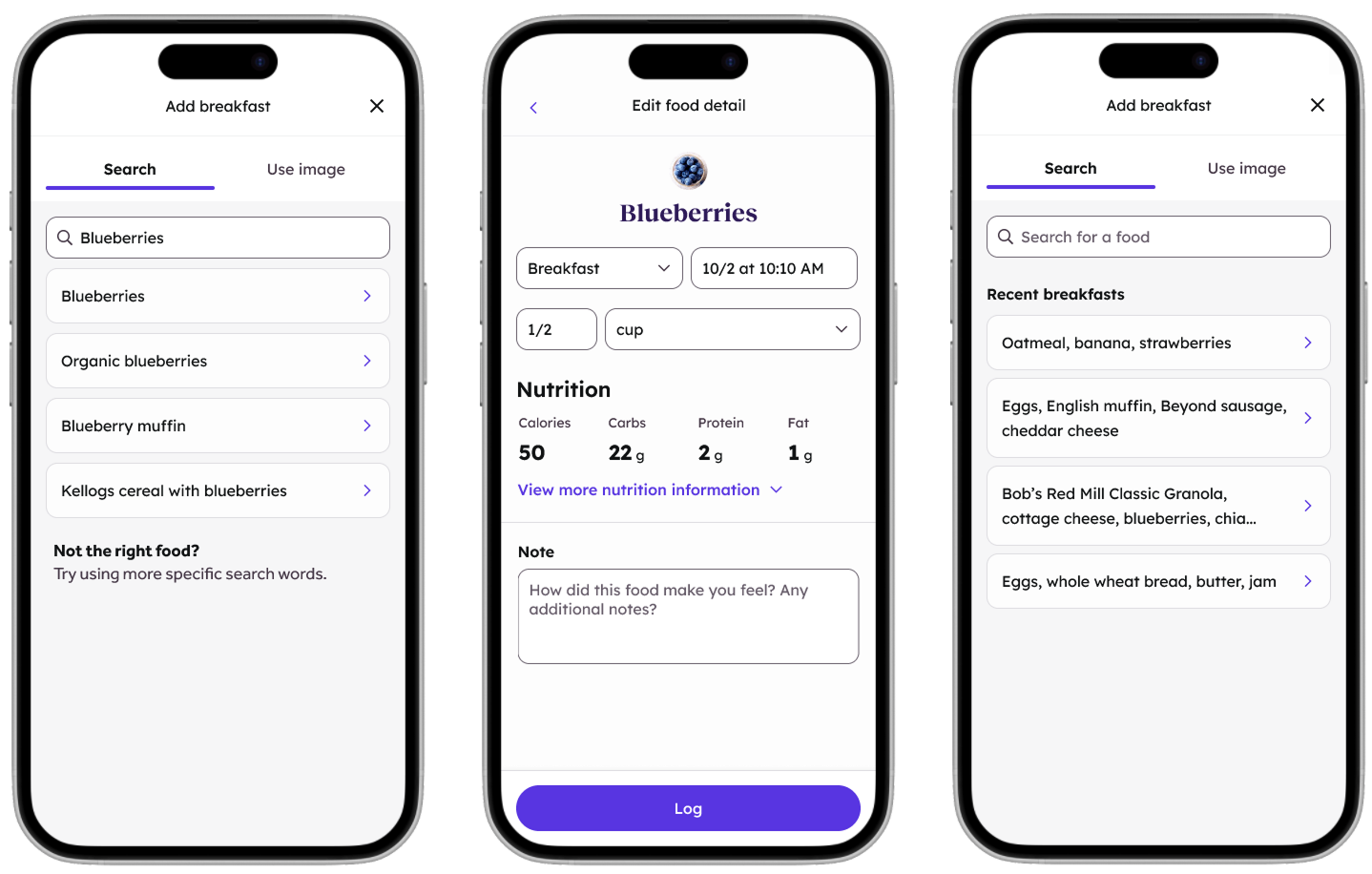
Search and recent meals for manual entry
Delivering excellence under pressure
Results
- On-time delivery despite tan extremely aggressive timeline
- High-quality designs that didn't sacrifice craft for speed
- Strong engineering trust—engineers know we can work through technical constraints together
- Improved team morale through calm, consistent leadership
What I learned
This project taught me that delivery excellence isn't just about the designs, it's about creating the conditions for a team to succeed. When I attended every standup, answered questions quickly, and stayed calm under pressure, it had a multiplier effect on the whole team's performance.
I also learned to be more proactive about scoping. On a timeline this aggressive, cutting scope thoughtfully is just as important as executing well on what remains. Advocating for those cuts, with clear trade-off analyses, is a leadership skill I'll carry forward.